AI Image Prompts for Instagram Carousel Slides: Midjourney, GPT Image, and Nano Banana (2026)
Generating one good AI image is easy. Generating eight that look like they belong in the same carousel is harder: the palette drifts, the lighting changes, and slide 4 suddenly looks like it came from a different brand.
This guide covers AI prompts for Instagram carousel slides that hold together across a whole post. You will lock the size to 4:5, write a shared style block, leave room for your headlines, decide when text belongs inside the image, and get 8 example prompts written for Midjourney, GPT Image, and Nano Banana.
Why Carousel Visuals Need Different Prompts
A single feed image only has to look good on its own. Carousel slides are seen in sequence, one swipe apart, so any change in style is obvious. Most slides also carry text: a headline, a short list, or a single line of copy that sits on top of the image.
That gives a carousel prompt three jobs a normal image prompt does not have:
- Repeat the same look on every slide. Same medium, palette, lighting, and texture.
- Match one aspect ratio. Every slide in an Instagram carousel shares the same ratio.
- Keep a clear area for type. The image has to leave space for the words you add later.
Write the copy for each slide first, then the image prompts. Knowing where the headline goes on each slide tells you where the image must stay empty.
Pick the Size Before You Write a Prompt
| Platform | Export size | Ratio to request | Notes |
|---|---|---|---|
| Instagram (default) | 1080 × 1350 px | 4:5 | Instagram's recommended carousel preset |
| Instagram (tall) | 1080 × 1440 px | 3:4 | Extra height for text-heavy slides |
| Instagram or LinkedIn (square) | 1080 × 1080 px | 1:1 | Easiest to reuse across platforms |
| LinkedIn document carousel | 1080 × 1080 or 1080 × 1350 px | 1:1 or 4:5 | Upload all slides as one PDF |
Decide the ratio once and put it in every prompt. Each model takes it differently:
- Midjourney: add
--ar 4:5at the very end of the prompt, after the description. - Nano Banana: where the app or API gives you an aspect ratio setting, choose 4:5. Otherwise write "portrait 4:5 composition" in the prompt and check the result.
- GPT Image: it works from a small set of fixed sizes, and its portrait size (1024 × 1536) is taller than 4:5. Generate in portrait, keep the subject away from the top and bottom edges, and crop to 4:5 afterwards.
Raw AI outputs are rarely exactly 1080 pixels wide, so resize or upscale every slide to 1080 × 1350 before export, then drop one into the free carousel size checker to confirm the ratio. The Instagram carousel size guide and the LinkedIn carousel size guide cover the full specs and safe zones.
Build a Shared Style Block
The most useful habit for carousel visuals: describe the look once, then paste exactly the same words into every slide prompt. Only the subject changes.
A style block covers six things:
| Element | Example wording |
|---|---|
| Medium | flat editorial illustration, editorial photo, 3D render |
| Palette | warm off-white, terracotta, sage green, charcoal |
| Lighting | soft diffused light, no hard shadows |
| Texture | subtle paper grain |
| Composition | generous empty space in the top third |
| Mood | calm, practical, uncluttered |
Put together, it reads like this:
flat editorial illustration, subtle paper grain, warm off-white background, palette of terracotta, sage green and charcoal, soft diffused light, no hard shadows, calm and uncluttered
Three rules keep it working:
- Name colors in words. Hex codes are hit or miss in image models. Describe the palette in plain color names and set exact brand colors in your editor.
- Keep it short. One or two lines. A long list of style words dilutes the subject.
- Change the subject, never the block. If one slide drifts, rewrite that slide's subject, not the shared words.
Lock the Style with Each Model's Reference Tools
A style block gets you close. Reference images get you the rest of the way.
- Midjourney: once you have a cover you like, add its image URL with
--srefto the other slide prompts so they borrow its palette and texture. Keep--stylizeat the same value across the set, and reuse a--seedwhen you are testing a one-word change. - Nano Banana: attach the approved cover (or the previous slide) as a reference image and ask for the new scene "in the same style, palette and lighting as the reference image." It is strong at building on reference images, which makes it a good fit for a series.
- GPT Image: generate the set in one ChatGPT conversation so earlier images stay in context, or upload the approved slide and ask for the next one in the same style. Repeat the style block anyway; "same as before" alone drifts over a long set.
Always generate and approve the cover first. It sets the look that every other slide follows.
Leave Room for Text Overlays
Most carousel slides carry a headline, so the image needs a calm, low-detail area where that headline will sit. That area also has to avoid the parts of the slide Instagram covers: on a portrait slide, roughly the bottom 10 to 12 percent sits under the caption preview and page dots in the feed. The safe zones section of the size guide shows exactly where.
Phrases that reliably open up space:
- "large empty area in the top third for a headline"
- "subject placed slightly below center, plain background elsewhere"
- "soft gradient background with no objects"
- "shallow depth of field, background softly blurred"
Then tell the model what to leave out. In Midjourney, --no text, letters cuts down on stray lettering. In GPT Image and Nano Banana, write "no text or lettering anywhere in the image" as its own sentence.
Before generating the full set, put your real headline on top of the cover in your editor. If it is hard to read, adjust the prompt now rather than after eight slides.
Text in the Image or in the Editor?
| Text on the slide | Where to add it | Why |
|---|---|---|
| Body copy, lists, numbers | Editor | You will edit it, and one wrong letter means regenerating |
| Slide headlines | Editor | Same font, size, and position on every slide |
| Logos, handles, URLs | Editor | Image models redraw logos; place the real file instead |
| Lettering that is part of the scene (sign, label, cup) | In the image | The words are the visual, so they should look printed in the scene |
When the words do belong in the picture, use GPT Image or Nano Banana: put the exact text in double quotes, say where it goes, and keep it to a few words. Midjourney can attempt short quoted text too, but treat it as decoration, not copy you can rely on. Whatever the model, zoom in and check every letter before you post. A typo baked into an image cannot be fixed with a quick edit.
Text added in the editor has one more advantage: you can reuse the same visuals in a second language or a new version of the carousel without generating anything again.
8 Example AI Prompts for Instagram Carousel Slides
The examples below build one carousel, "5 Habits for a Calmer Workday," plus one product slide. They share the style block above, so swap in your own subject and keep your own block constant. Text in square brackets is yours to replace.
1. Cover Slide with Space for the Hook (Midjourney)
flat editorial illustration of a person watering a small desk plant beside an open laptop, placed slightly below center, large empty warm off-white area across the top third, subtle paper grain, palette of terracotta, sage green and charcoal, soft diffused light, calm and uncluttered --ar 4:5 --stylize 150 --no text, letters
The top third stays free for the hook headline, and the subject sits above the bottom strip the feed covers. Approve this one before writing the rest.
2. Plain Backgrounds for Text Slides (Midjourney)
minimal abstract background, soft organic shapes in terracotta and sage green along the bottom edge, wide empty warm off-white space in the center, subtle paper grain, soft diffused light --ar 4:5 --sref [URL of your approved cover] --stylize 150 --no text, letters
Run it a few times and use the variations behind your body slides. --sref ties them to the cover.
3. Seamless Panorama Split Across Three Slides (Midjourney)
continuous flat editorial illustration of a winding path from a cluttered desk on the left to a tidy desk beside a sunny window on the right, even horizon line, plain pale wall across the top third, subtle paper grain, palette of terracotta, sage green and charcoal, soft diffused light --ar 12:5 --no text, letters
12:5 is three 4:5 slides side by side (3240 × 1350 pixels once resized). Keep key objects away from the two cut lines, then slice it into slides with the free carousel image splitter.
4. Matching Icon Set (GPT Image)
A sheet of six matching line icons on a plain warm off-white background, arranged in a 3 by 2 grid with even spacing: a calendar, a coffee cup, a checklist, a clock, a phone with a crossed-out bell, and a sun. Every icon uses the same stroke weight and rounded line ends, in charcoal lines with terracotta accents, with no shading and no text. Square 1:1 image.
Generating every icon in one image keeps stroke weight and color identical. Crop each icon out for its slide instead of prompting them one at a time.
5. Product Mockup from Your Own Photo (Nano Banana)
Attach a clear photo of your product, then:
Place the ceramic mug from the attached photo on a light oak desk next to a closed notebook and a small potted plant. Keep the mug's shape, color and logo exactly as they are in the photo. Use soft morning window light from the left and a shallow depth of field, with the upper third of the frame left as a plain, softly blurred wall. Portrait 4:5 composition, no added text.
Asking it to keep the product exactly as photographed matters most here. Compare the result to the original photo, especially the logo, before you use it.
6. Recurring Character for Step Slides (Nano Banana)
Attach the approved cover or an earlier slide, then:
Using the attached illustration as the style and character reference, show the same person sitting at the desk and writing three items on a sticky note. Keep their hair, clothes, line style and the terracotta, sage green and charcoal palette the same as in the reference. Place them slightly below center and keep the top third as empty off-white space. Portrait 4:5 composition, no text or lettering anywhere in the image.
Repeat with a new action for each step slide. One recurring character makes a how-to carousel read as one story.
7. Cover with the Headline Inside the Image (GPT Image)
A portrait Instagram carousel cover showing a café chalkboard sign leaning against a warm plaster wall. The words "5 Habits for a Calmer Workday" are hand-lettered in white chalk across the middle of the board, large and easy to read. Warm afternoon light, shallow depth of field, terracotta and sage green accents in the café behind. Keep the bottom fifth of the image simple with no important detail. Portrait orientation.
Here the lettering is the visual, so it belongs in the image. Crop to 4:5 and check the spelling letter by letter.
8. Closing CTA Slide Background (Midjourney)
flat editorial illustration of an open notebook with blank pages and a pen on a desk, seen from above, objects arranged around the edges, large empty center, subtle paper grain, palette of terracotta, sage green and charcoal, soft diffused light --ar 4:5 --sref [URL of your approved cover] --no text, letters
The blank center holds your call to action, such as "Save this for your next workday," added in the editor.
A Simple Workflow for AI Carousel Visuals
- Write the slide copy first. Know what each slide says before you generate anything.
- Pick the ratio. 4:5 for Instagram, and it carries over to LinkedIn.
- Write the style block and generate the cover.
- Approve the cover, then generate every other slide with the same block plus the model's reference tool.
- Add text in your editor, keeping the same font, size, and position on every slide.
- Resize to 1080 × 1350, check one slide in the size checker, and upload.
- For LinkedIn, combine the slides into one PDF with the PDF to carousel converter and post it as a document.
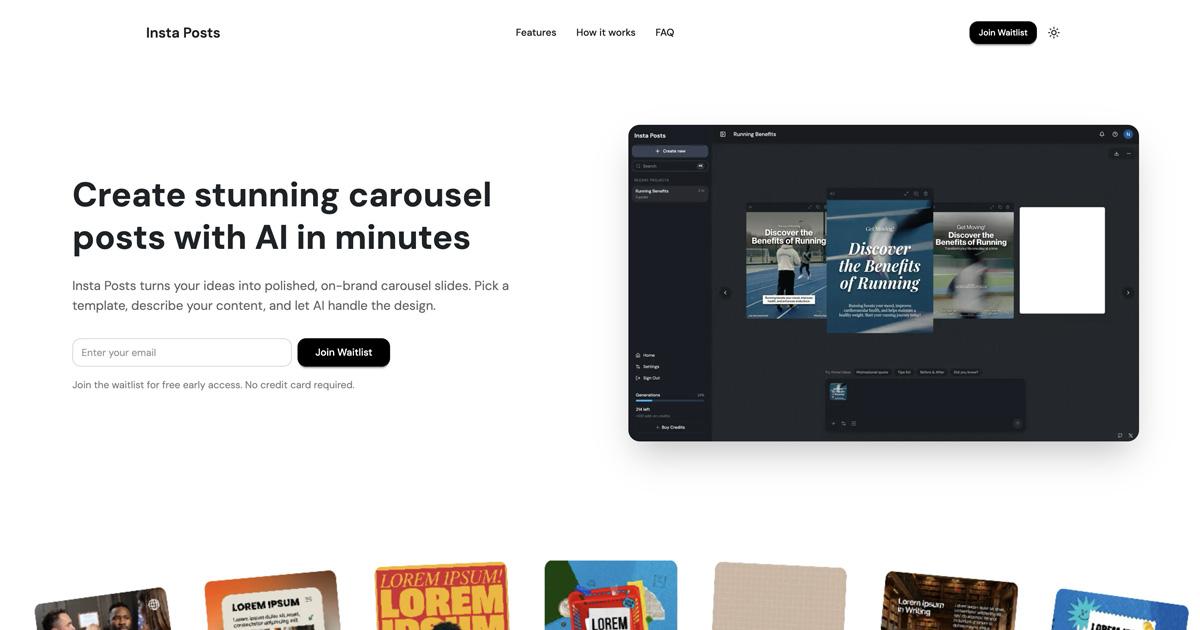
If you would rather skip the assembly, Insta Posts turns a single prompt into a finished carousel with copy, layout, and visuals, sized at 1080 × 1350 pixels for Instagram.
Write These Prompts Faster
Each model wants its prompt in a different shape: Midjourney takes a description followed by parameters, while GPT Image and Nano Banana read best as plain sentences. If you do not want to learn every syntax, the free image prompt generator from Prompt Generator turns a plain description of your slide into a prompt for the model you pick, including Midjourney, GPT Image, Nano Banana, and FLUX. It gives you 10 free prompts a day without an account.
For a closer look at the Midjourney parameters used above, including --ar, --stylize, --sref, --seed, and --no, read its Midjourney prompt syntax guide.
Common Mistakes with AI Carousel Images
| Mistake | Fix |
|---|---|
| Rewriting the style for every slide | Paste one style block, word for word, into every prompt |
| Generating slides before the cover is approved | Lock the cover first, then reference it on every other slide |
| Mixing 4:5 and 1:1 outputs in one carousel | Request one ratio in every prompt and crop anything that drifts |
| Busy images behind headlines | Ask for an empty top third or a plain background |
| Body copy generated inside the image | Add copy in the editor; keep in-image text to a few words |
| Important detail in the bottom strip | Keep the subject above the bottom 10 to 12 percent |
| Uploading raw outputs at odd sizes | Resize every slide to 1080 × 1350 before export |
AI Carousel Prompts FAQ
What are the best AI prompts for Instagram carousel slides?
Prompts that repeat one style block word for word on every slide, ask for the same aspect ratio every time (4:5 for Instagram), and describe an empty area where the headline will go. Only the subject changes from slide to slide.
What aspect ratio should AI images for an Instagram carousel use?
4:5, exported at 1080 × 1350 pixels. In Midjourney, add --ar 4:5. Where a model offers an aspect ratio setting, pick 4:5. GPT Image's portrait size is taller than 4:5, so generate in portrait and crop.
How do I keep AI-generated carousel slides consistent?
Use the same style block in every prompt, generate and approve the cover first, then reference it: --sref in Midjourney, an attached reference image in Nano Banana, and the same conversation or an uploaded reference for GPT Image.
Should I put text in the AI image or add it in an editor?
Add body copy, numbers, logos, and handles in the editor. Put text in the image only when the lettering is part of the scene, use GPT Image or Nano Banana for it, and check every letter.
Can I reuse Instagram carousel images for a LinkedIn carousel?
Yes. 4:5 slides at 1080 × 1350 pixels work in a LinkedIn document carousel. Combine them into one PDF and upload it as a document post. If LinkedIn is your main platform, square 1080 × 1080 slides are the safest choice.
Next Steps
- Get the exact dimensions and safe zones in the Instagram carousel size guide.
- Plan the slide sequence with the Instagram carousel posts complete guide.
- Find more free helpers in the roundup of free carousel tools.
If you want the whole carousel without prompting each slide, Insta Posts generates it from one prompt, with slides already sized for Instagram and ready to upload.
Ready to create carousels with AI?
Turn any idea into a polished LinkedIn or Instagram carousel in under 60 seconds.