Free Carousel Tools: 5 Browser-Based Makers for LinkedIn and Instagram (2026)
You do not need Canva, a subscription, or a design background to make a scroll-stopping carousel. A handful of free, browser-based tools cover the whole workflow: cutting a design into slides, checking the dimensions, and packaging everything for LinkedIn or Instagram.
This guide rounds up the best free carousel tools in 2026 and shows how to combine them into one fast, no-signup workflow.
The free carousel tools on carouselpost.io
We built three free tools that run entirely in your browser. Nothing is uploaded, there is no account, and every file stays on your device.
1. Carousel and Instagram image splitter
The carousel image splitter takes a single wide or tall image and cuts it into evenly sized slides. Choose carousel mode for a set of swipeable panels, or grid mode for a seamless Instagram profile-grid mural. Download every slice at once as a ZIP, or grab pieces individually. It is the fastest way to turn one design into a clean, gap-free carousel.
Use it when: you have one big design, a panorama, or a screenshot you want to break into slides.
2. Carousel size checker
The carousel size checker shows the exact pixel dimensions, aspect ratios, and slide limits for both LinkedIn and Instagram, then lets you drop in an image for an instant pass or warning verdict. It flags slides that are too small or the wrong ratio before the platform crops or blurs them.
Use it when: you want to confirm your slides are correct before you publish. Pair it with our Instagram size guide and LinkedIn size guide.
3. PDF to carousel converter
The PDF to carousel converter works both ways. Turn a set of images into a single PDF, one slide per page, which is exactly the format LinkedIn uses for native document carousels. Or go the other direction and split an existing PDF back into image slides.
Use it when: you want a native LinkedIn carousel, or you need to reuse an old PDF deck as fresh image slides.
Free AI carousel generators
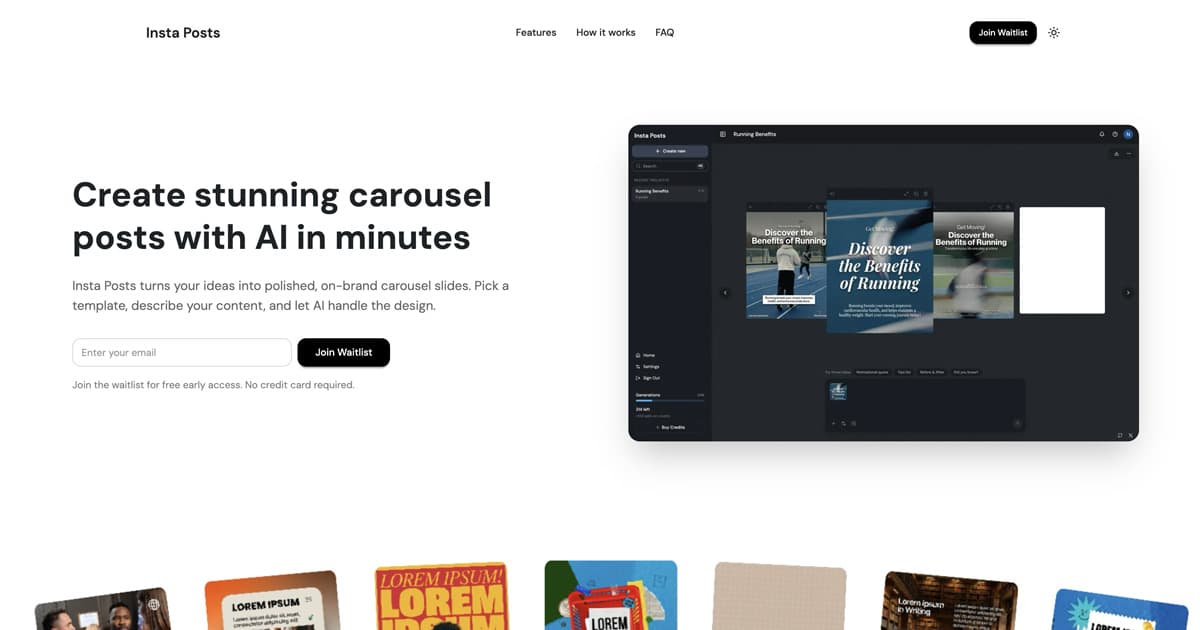
If you would rather generate a whole carousel from a prompt instead of designing it yourself, there are several free and freemium AI generators worth knowing. We keep an honest, up-to-date comparison on the carousel tools hub, including Insta Posts, which turns a single prompt into a finished LinkedIn or Instagram carousel in under a minute.
How to make a carousel for free
You can run the entire process with the tools above:
- Design or export your slides. Use any free design app, or export one wide image to split. Keep each slide at least 1080 pixels wide.
- Split a single design into slides. Open the splitter, choose carousel mode, set the slide count, and download the panels.
- Check the size. Run a slide through the size checker and confirm it matches a recommended ratio.
- Package for the platform. Upload image slides directly to Instagram, or use the PDF converter to build a LinkedIn-ready PDF.
- Publish and check the crop. Post, then confirm nothing important is cropped, especially on the cover slide.
Which free tool should you use?
| Your goal | Tool | Platform |
|---|---|---|
| Cut one design into slides | Image splitter | Instagram, LinkedIn |
| Build a profile-grid mural | Image splitter (grid mode) | |
| Confirm dimensions before posting | Size checker | Instagram, LinkedIn |
| Make a native LinkedIn carousel | PDF converter | |
| Reuse a PDF deck as image slides | PDF converter | Instagram, LinkedIn |
| Generate a carousel from a prompt | AI generators | Instagram, LinkedIn |
The fastest free workflow
Design one wide image, split it into slides, run a quick size check, and either post the images to Instagram or convert them to a PDF for LinkedIn. The whole thing takes a few minutes and costs nothing.
If you would rather skip the manual steps entirely, Insta Posts generates a polished carousel from a single prompt in under 60 seconds, with a free tier to start.
Carousels are a LinkedIn and Instagram format, but the hooks you write for them usually work as standalone text posts on X too. Queueing and measuring those is a separate job: an X post scheduler covers the timezone-aware posting slots and engagement analytics that browser-based image tools do not.
Finding what to post is the step before scheduling it. An X growth tool surfaces the trending posts in your niche and the replies worth writing, so the queue has something in it worth measuring.
Ready to create carousels with AI?
Turn any idea into a polished LinkedIn or Instagram carousel in under 60 seconds.