LinkedIn Carousel Size Guide 2026: Dimensions, Format & Specs
LinkedIn carousel posts are one of the highest-engagement content formats on the platform. Getting your dimensions and file specs right means your slides look sharp on every device and your content gets maximum reach in the feed.
This guide covers every spec you need to create LinkedIn carousels that look professional in 2026.
LinkedIn Carousel Dimensions at a Glance
| Aspect Ratio | Pixel Size | Best For |
|---|---|---|
| 1:1 (Square) | 1080 × 1080 px | Most versatile - works perfectly on all devices |
| 4:5 (Portrait) | 1080 × 1350 px | Maximum screen real estate in the mobile feed |
| 16:9 (Landscape) | 1920 × 1080 px | Presentations, data-heavy slides, wide visuals |
Recommended Size: 1080 × 1080 px (Square)
Square slides are the safest, most reliable choice for LinkedIn carousels. They render consistently across desktop, mobile, and tablet. They give you a balanced canvas for text, images, and branding.
If you're unsure which size to use, go with 1080 × 1080 px.
Portrait slides (1080 × 1350 px) take up more vertical space in the mobile feed, which can increase engagement. The trade-off: they may get cropped on desktop, so keep critical content away from the top and bottom edges.
Landscape slides (1920 × 1080 px) work best for repurposed presentations or data-heavy content. They appear smaller in the mobile feed since LinkedIn scales them to fit the width.
Unsure whether your slides land on one of these ratios? Run them through the free carousel size checker to verify the exact dimensions and aspect ratio before you export.
LinkedIn Carousel File Specifications
PDF Upload (Native Carousel)
| Spec | Requirement |
|---|---|
| File format | |
| Maximum file size | 100 MB |
| Maximum slides | 300 pages |
| Recommended slides | 5–15 for engagement |
| Minimum slides | 2 |
| Color mode | RGB |
| Resolution | 150–300 DPI |
Image Upload (Multi-Image Post)
| Spec | Requirement |
|---|---|
| File formats | PNG, JPG, GIF |
| Maximum images | 20 per post |
| Maximum file size | 10 MB per image |
| Minimum dimensions | 552 × 276 px |
| Recommended dimensions | 1080 × 1080 px or 1080 × 1350 px |
PDF vs Image Carousel: Which Should You Use?
Use PDF upload when:
- You want the swipe-through carousel experience
- You have more than 20 slides
- You want a native document viewer on desktop
- Your content is text-heavy or presentation-style
Use multi-image upload when:
- You want each slide to be a standalone visual
- Your slides include photography or rich graphics
- You have 20 or fewer slides
- You want simpler formatting
Both formats support the same dimensions. The PDF upload gives you the classic "carousel" swipe behavior that LinkedIn users expect. If your slides are already exported as images, the free PDF to carousel converter bundles them into a single LinkedIn-ready PDF (and can split a PDF back into images too).
How Many Slides Should a LinkedIn Carousel Have?
The sweet spot is 8–15 slides for most carousel posts. Here's why:
- Under 5 slides: Not enough content to justify the carousel format. Feels thin.
- 5–8 slides: Good for quick tips, listicles, and concise how-tos.
- 8–15 slides: The engagement sweet spot. Enough depth to deliver value, short enough to hold attention.
- 15–20 slides: Works for detailed guides and step-by-step tutorials. Only if every slide earns its place.
- 20+ slides: Use sparingly. Risk losing readers halfway through.
LinkedIn counts each swipe as engagement. More slides generally means more time on post, which can boost algorithmic reach. But only if the content holds attention.
LinkedIn Carousel Safe Zones
Not all of your slide is equally visible. Keep important content within the safe zone:
- Top edge: Leave 50–80 px clear. LinkedIn overlays the author name and post text on mobile.
- Bottom edge: Leave 50–80 px clear. The slide counter and navigation dots sit here.
- Side edges: Leave 30–40 px of padding for comfortable reading.
Rule of thumb: Keep your key content within the center 80% of each slide.
Design Best Practices for LinkedIn Carousels
Typography
- Minimum font size: 24 px for body text, 36 px+ for headings
- Maximum text per slide: 40–60 words. Less is more on mobile screens.
- Font weight: Use bold or semibold for headings. Regular weight for body text with good contrast.
Color and Contrast
- Ensure 4.5:1 contrast ratio between text and background (WCAG AA standard)
- Use your brand colors consistently across all slides
- Dark text on light backgrounds reads best in the feed. Light-on-dark works for standout slides.
Structure
- Slide 1 (Cover): Hook headline + visual. This is what appears in the feed. Make it count.
- Slides 2–N (Body): One idea per slide. Use headings, short paragraphs, and visuals.
- Last slide (CTA): Tell readers what to do next - follow, comment, visit a link, save the post.
Branding
- Include your name or logo on the first and last slides at minimum
- Use consistent colors, fonts, and layout across slides
- Add a subtle brand watermark if you want attribution when slides get screenshotted and shared
How to Create a LinkedIn Carousel
Method 1: Design Tool (Canva, Figma, PowerPoint)
- Create a new document at 1080 × 1080 px
- Design each slide as a separate page
- Export as PDF
- Upload to LinkedIn as a document post
Method 2: AI Carousel Generator
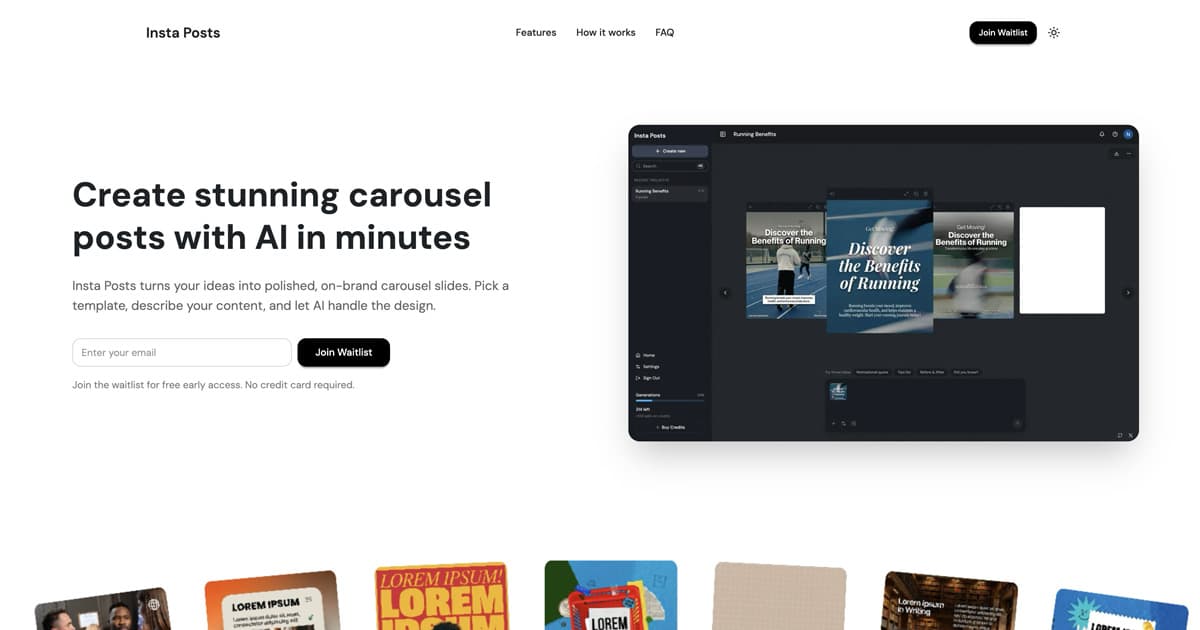
AI tools like Insta Posts can generate a complete carousel from a single text prompt in under 60 seconds:
- Describe your topic or paste an outline
- The AI creates slides with copy, layout, and visuals
- Edit text, swap images, apply your brand colors
- Export and post to LinkedIn
This is the fastest path from idea to published carousel, especially if you publish frequently.
Common LinkedIn Carousel Mistakes
- Text too small: If someone has to zoom in on mobile, you've lost them. Use 24 px minimum.
- Too much text per slide: Carousels are visual. If your slide looks like a Word document, simplify it.
- No hook on slide 1: The cover slide determines whether people swipe. Lead with your strongest hook.
- Inconsistent design: Mixing fonts, colors, and layouts across slides feels unprofessional.
- No CTA on the last slide: You held their attention through 10+ slides. Don't waste it - tell them what to do.
- Wrong file format: Uploading images instead of PDF if you want the swipe carousel experience.
LinkedIn Carousel Specs Summary
| Spec | Recommended |
|---|---|
| Dimensions | 1080 × 1080 px (square) |
| Aspect ratio | 1:1 or 4:5 |
| File format | PDF for carousel, PNG/JPG for multi-image |
| Max file size | 100 MB (PDF) / 10 MB per image |
| Slide count | 8–15 slides |
| Font size | 24 px minimum body, 36 px+ headings |
| Color mode | RGB |
| Resolution | 150–300 DPI |
| Safe zone | Center 80% of each slide |
Bookmark this page. We update it whenever LinkedIn changes their carousel specs.
Ready to create carousels with AI?
Turn any idea into a polished LinkedIn or Instagram carousel in under 60 seconds.